A OneNote Alternative for People Who Just Want to Take Quick Notes
OneNote is a digital binder. Hayaku Notes helps you jot down what you need right away. Which one fits depends on what you are trying to do.
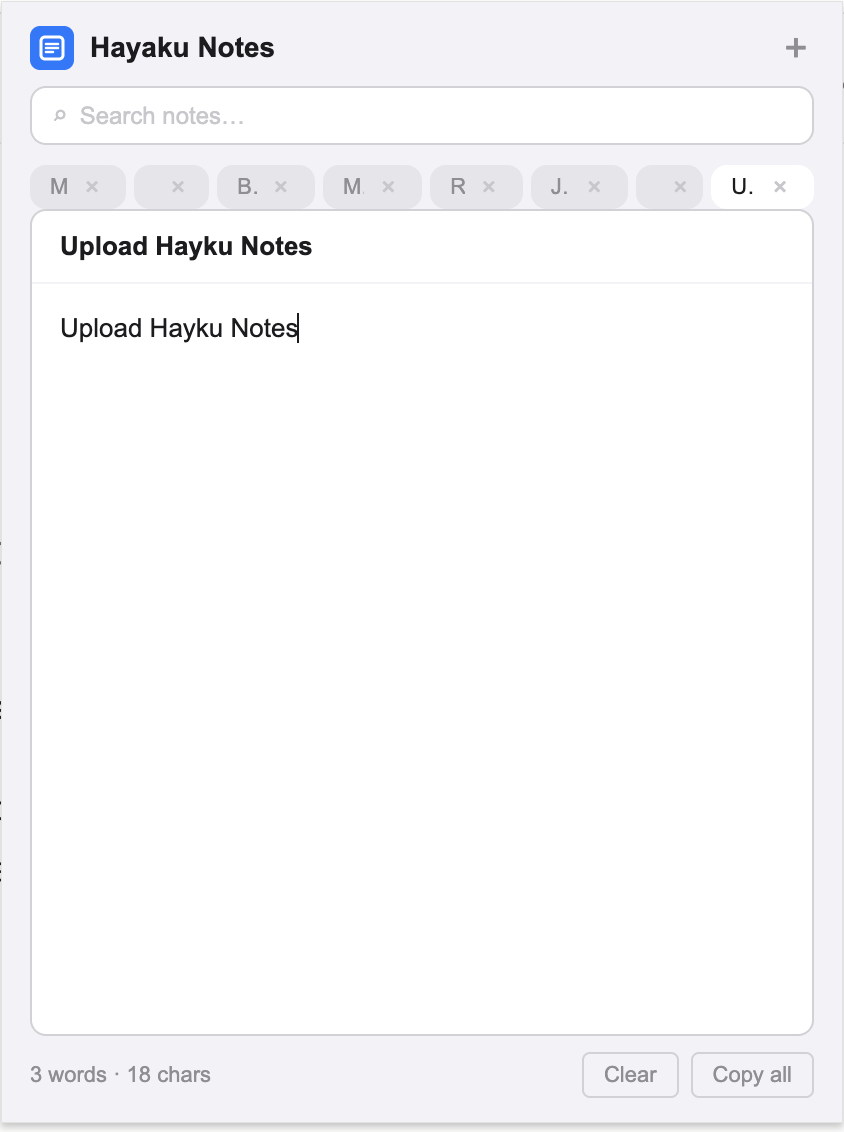
Tired of leaving Chrome just to take simple notes? If you are looking for a OneNote alternative, you have likely experienced the full Microsoft workflow: you are working inside a browser, an idea surfaces, and you reach for OneNote. The application launches, syncs with your Microsoft account, loads your notebook list, and presents you with a canvas that expects you to choose a section and a page before you can type. For meeting minutes or class notes, that structure is useful. For a fleeting thought — a password, a quote, a correction to a form you are filling out — that structure is a delay. By the time the page is ready, the thought has passed. Hayaku Notes removes the delay. It is a Chrome extension that drops a notepad over your current tab. One click, no account prompt, no notebook hierarchy, no canvas to configure. This article walks through where OneNote still leads, where it slows down quick capture, and why some users keep OneNote for formal notes and install Hayaku for everything else. If you are also weighing options beyond the Microsoft ecosystem, our look at Obsidian as an alternative covers another common path users consider.
What OneNote does that Hayaku never will
OneNote is designed around the metaphor of a physical binder. Notebooks contain sections, sections contain pages, and pages are free-form canvases where you can click anywhere to drop a text box, insert a table, draw with a stylus, or embed a file. If you take handwritten notes on a tablet, annotate screenshots, or build structured notebooks for work or school, OneNote is the correct tool and Hayaku is not a replacement for it. Hayaku does not support handwriting, does not offer free-form canvas layout, and does not integrate with Microsoft Office. The comparison only applies to the narrow task of typing a quick text note while you are already inside Chrome.
The hierarchy that costs you the thought
OneNote’s organisational model requires navigation. To create a note, you first choose a notebook, then a section, then a page. If none of the existing locations feel right, you create a new one. That decision-making step sits between the thought and the writing. For a daily log or a project plan, the hierarchy is the point. For a two-sentence reminder, it is overhead. You may find yourself dumping quick notes into a catch-all page at the front of a notebook, which defeats the purpose of the structure.
Hayaku has no notebooks, no sections, and no pages to choose from. Your notes live as tabs inside the extension. You click the icon, you see your notes, and you write. The trade-off is that it will never replace a digital binder for complex organisation. The benefit is that there is no navigation step to slow you down.
Canvas versus plain text
OneNote pages are open canvases. You can place text boxes anywhere, insert images between paragraphs, draw arrows, and colour-code sections. This flexibility is ideal for visual thinkers and detailed documentation. The cost is that a blank canvas carries implicit pressure to format and arrange. A quick note can turn into a layout decision.
Hayaku uses a single plain-text field per note. You type words in a fixed column, they appear in order, and that is the entire interaction. There is no drag-and-drop, no colour picker, and no arrangement to manage. If you need visual layout, Hayaku will not satisfy you. If you just need the words to exist somewhere before you forget them, the lack of formatting is the feature.
The Microsoft account barrier
OneNote requires a Microsoft account. On Windows it may already be signed in, but on other systems or in the web version you face a login screen before you can create your first note. For users who are not already embedded in the Microsoft ecosystem, this is an extra credential to manage and a privacy consideration to weigh.
Hayaku has no account. You install the extension and you start typing. Your data stays inside Chrome’s local storage. Nothing is uploaded to Microsoft’s servers or anyone else’s. If keeping your notes off the cloud matters to you, Hayaku is one of the non-cloud note options that keep everything on your own device. It is also part of the smaller group of note apps that skip the login entirely, which removes the activation energy that stops some people before they start.
Finding what you wrote
OneNote searches across notebooks, sections, and page content. On a well-maintained archive, this is effective. But if your quick notes are scattered across an inbox section, a miscellany page, and a half-dozen project notebooks, the results can be broad. You may find yourself opening several pages to locate the right sentence, especially if your catch-all pages are long.
Hayaku uses a single real-time search that filters your note tabs as you type and highlights the matching text inside each note. You remember a fragment, you type it, and the note surfaces. There are no nested locations to check and no canvas regions to scroll through.
What it costs
OneNote is free to use and available on every major platform. Advanced features — larger storage, version history, and some AI tools — are tied to a Microsoft 365 subscription. For users already paying for Office, this is seamless. For users who do not use Microsoft services, the subscription upsell can feel like an ecosystem lock-in attempt.
Hayaku is free for up to fifty notes, which is enough to decide whether the tool fits your workflow. After that, a single payment of $5.97 unlocks unlimited notes permanently. There is no subscription and nothing to cancel later. If you specifically want a tool that does not turn into another monthly bill, Hayaku is one of the note apps that charge once instead of every month.
Who should keep using OneNote
If you rely on handwriting, free-form canvas layout, deep Microsoft Office integration, cross-platform sync through your Microsoft account, or you maintain large structured notebooks for work or school, OneNote is the better tool. Hayaku Notes is not trying to replace that. It is a single-purpose extension for a different job.
Who should try Hayaku instead
If you find yourself avoiding OneNote because navigating the binder feels like too much work for a small note, if your quick captures keep landing in a disorganised catch-all page, or if you just want a notepad that appears over your current tab without launching a separate application, Hayaku is worth testing. The free tier costs nothing but the install time.
The bottom line
OneNote is a digital binder. Hayaku is a notepad. One is not objectively better; they are built for different depths of use. If you need a binder, OneNote is the answer. If you are tired of leaving Chrome just to take simple notes, Hayaku is the alternative some users switch to. The test is straightforward: install it, use it for a week, and notice whether the notes you meant to keep actually get written down.
Stop leaving Chrome to take a note.
The yellow icon sits in your toolbar, one click from a blank pad.
Get it on Chrome Web Store