A note app with no subscription.
Plenty of note tools are free to start, then quietly push you toward a monthly bill for the parts you actually want. Here's which ones do that, and which ones don't.
| Tool ↕ | Free tier ↕ | Subscription ↕ | Additional info |
|---|---|---|---|
📄Hayaku NotesOurs |
Free till 50 notes | None | One-time $5.97, no recurring charge |
SnSimplenote |
Free, unlimited | None | No paid tier exists at all |
EvEvernote Web Clipper |
Free, limited | Required | 250MB/month cap, 50 notes, no sync free |
NoNotion Web Clipper |
Free, limited | Required for teams | Fine solo, paid plans for team use |
WHWeb Highlights |
Free, limited | Required for sync | Sync and formatting behind ~$34.99/yr |
SlSlid |
Free trial | Required | Plans from ~$16.99/mo after trial |
Free tier = you can use some version without paying anything. Subscription = whether the tool eventually asks for a recurring monthly or yearly fee. Prices are from each tool's own listing and can change.
Want one you pay for once?
Hayaku Notes is free till 50 notes, then a one-time $5.97. No monthly bill, ever.
Get Hayaku Notes →The full breakdown
Hayaku Notes
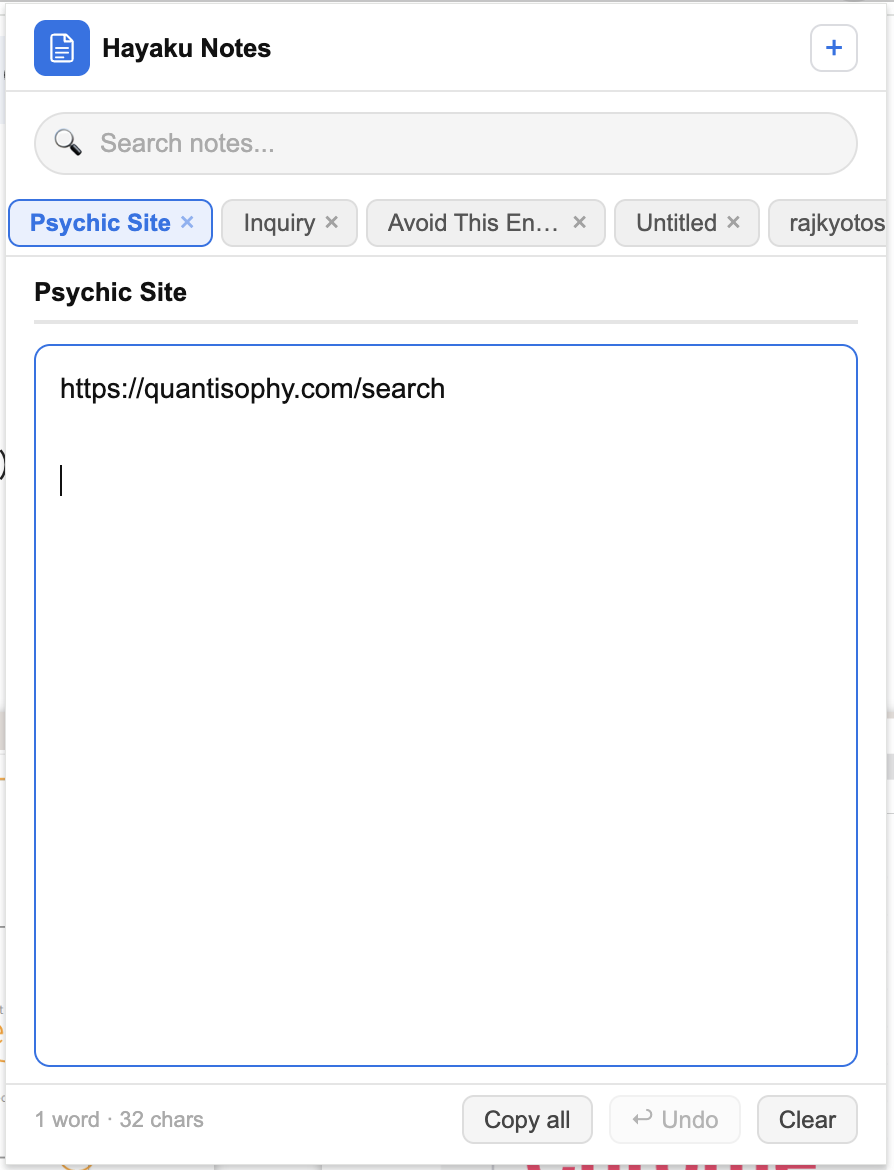
Hayaku skips the subscription question entirely: you use it free, and if you outgrow the free version, you pay once and you're done.
Pricing: Free, Then a Single $5.97
The free version covers you till 50 notes. Past that, one payment of $5.97 removes the limit for good. There's no monthly charge at any point, and no ads either, even before you pay anything.
How It Works
It installs as a browser extension in seconds. Click the icon in your toolbar and start typing. Notes save on their own, right in your browser, with no account needed to get started.
The Trade-Off
Since notes stay on your device rather than a cloud account, they won't automatically show up on your phone or a second computer. For fast, private notes on one machine, that's rarely a problem. For syncing across several devices, an account-based tool fits better.
Simplenote
Simplenote is one of the rare tools here that's free and stays free: there's no paid tier waiting behind the free one.
Pricing: Completely Free
Made by Automattic, the team behind WordPress, Simplenote has no premium plan to upsell you on. What you get on day one is what you keep.
What You Get
Instant sync across web, Android, iOS, Windows, and Linux. Markdown support, tags, pinned notes, and version history that lets you restore an earlier draft.
The Trade-Off
It's account-based and cloud-synced, so your notes live on Simplenote's servers, not only your device. It's also plain-text focused, so it's not built for rich formatting or heavy folder structures.
Evernote Web Clipper
Evernote's free tier looks generous until you actually hit its limits: a monthly upload cap and a note ceiling make it hard to rely on for long.
Pricing: A Free Tier That Runs Out Fast
The free version caps uploads at 250MB a month and limits you to 50 notes in a single notebook. It also runs on one device only, so syncing isn't available until you pay. Paid plans start around $11 a month billed annually, with a higher tier around $14 a month for more storage and Slack integration.
What You Get
A genuinely capable web clipper. Full articles, simplified text, or screenshots save into your notebooks with strong OCR and search once you're set up.
Bottom Line
Solid for research and archiving if you're prepared to pay eventually. If avoiding a subscription is the whole point of your search, the free tier's limits will get in the way fast.
Notion Web Clipper
Notion Web Clipper works well for individuals on the free plan, but it leans toward a paid subscription the moment a team gets involved.
Pricing: Free Solo, Paid for Teams
Personal use on the free plan is genuinely workable. Once you add collaborators or need team features, Notion pushes you toward one of its paid tiers.
What You Get
Clipped pages land inside Notion's flexible page and database system, so they become part of whatever workspace you've already built.
Bottom Line
A strong pick if you already live in Notion and work solo or don't mind eventually paying for a team. Extra setup and a possible subscription down the line if you just want a quick note tool.
Web Highlights
Web Highlights lets you start free, then charges for the features people actually ask for most.
Pricing: Free Core, Paid Sync
Highlighting and basic notes are free. According to its own listing, syncing across devices and extra formatting sit behind a paid plan priced around $34.99 a year.
What You Get
Highlight text on any page or PDF, attach notes to specific passages, and have them reappear when you revisit the page.
Bottom Line
Useful for readers who want durable highlights and are fine paying for sync. If a recurring fee is what you're trying to avoid, that's exactly what unlocks the features most people want.
Slid
Slid is built for a narrower job, taking notes alongside video, and its pricing reflects that specialization.
Pricing: Free Trial, Then a Real Monthly Fee
After the trial ends, plans start around $16.99 a month according to its own listing, a genuine recurring cost rather than a one-time or optional charge.
What You Get
AI-assisted note-taking designed to run alongside videos and online lectures, aimed at students and anyone learning from video content.
Bottom Line
Worth it if video note-taking with AI is specifically your need and the monthly fee is acceptable. Not a fit if you just want to type notes without a subscription.
The simplest no-subscription option
Free till 50 notes, then a one-time $5.97. No monthly bill, no ads.
Get Hayaku Notes on the Chrome Web Store →Comparing more broadly? See the full comparison of the best Chrome note extensions, the ones you can use without a login, or read about Hayaku Notes on its own page.